
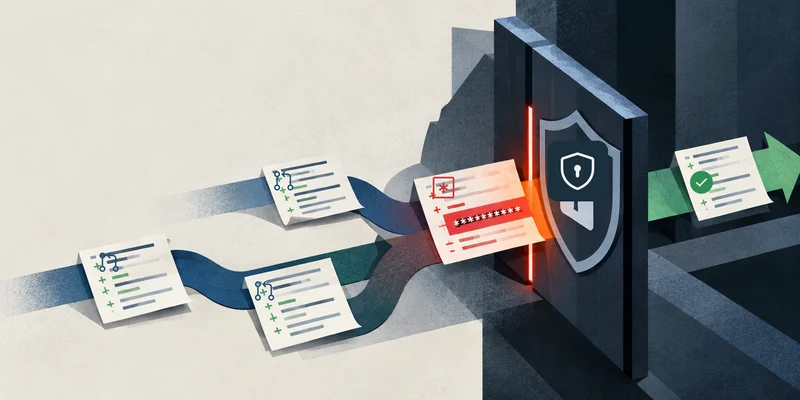
A feature can work perfectly while its pull request contains a live API key. Tests can pass while a credential sits in a config file.
GitHub's September 9 public preview adds a repository rule called Require secret scanning alerts are resolved. It can block a pull request until GitHub has scanned its latest commit and the relevant secret alerts are closed.
An agent can say the task is finished, every normal test can be green, and GitHub can still refuse the merge.
GitHub has to scan the latest commit
The rule checks two conditions. Secret scanning must finish for the pull request's head commit, and no commit in the pull request can have an open alert matching one of the secret types selected in the ruleset. A contributor without bypass permission cannot merge while either condition fails.
A later commit can introduce a credential after an earlier clean scan. GitHub waits for the scan of the version that is actually about to merge.
The rule only covers the branches and secret categories selected by the repository owner. Provider patterns are the default. Teams can also include custom patterns for credentials unique to their systems and generic patterns such as private keys or database connection strings.
One category is missing: AI-detected secrets are not supported by this merge rule. GitHub uses model-based detection for unstructured secrets such as passwords. A password can therefore trigger a secret-scanning alert without being something this particular merge rule knows how to block.
Push protection catches an earlier failure
GitHub's existing push protection tries to stop supported credentials before they reach the repository. It can run on command-line pushes and supported changes through GitHub's web interface and REST API.
The merge rule runs when the pull request is about to merge. It can block a matching open alert when a secret type was left out of push protection or a bypass allowed it through.
GitHub records different outcomes for push-protection bypasses. A value marked as a false positive or as something used in tests creates a closed alert. Choosing I'll fix it later leaves the alert open. If the ruleset covers that secret type, the open alert blocks the merge.
By merge time, the credential is already in the repository. Blocking the pull request keeps it out of the targeted branch. Push protection remains the control that can stop the credential earlier.
If a push-time scan times out, GitHub continues scanning afterward. The merge rule can wait for that result before allowing the pull request through.
Removing the key is not the same as fixing the incident
Deleting a leaked key from the latest version of the file does not automatically close its secret-scanning alert.
GitHub's remediation guidance says to treat a committed credential as compromised. For a real token, that can mean revoking or rotating it with the provider, updating any service that depends on it and checking the provider's security logs. The GitHub alert is then closed with the appropriate resolution.
Closing the alert does not revoke the token; the service that issued the credential controls whether it still works.
Removing the line can still leave the credential active or the GitHub alert open.
Check who can bypass the rule
The feature is currently in public preview for customers with GitHub Secret Protection or GitHub Advanced Security, and secret scanning must be enabled on the repositories involved. Free secret scanning on a public repository does not by itself include this merge-protection rule.
Administrators configure the check in a branch ruleset, choose the target branches and secret categories, and set the ruleset to an enforcing state. A saved but disabled ruleset does nothing.
GitHub lets selected roles, teams, GitHub Apps and Dependabot receive bypass access to the ruleset.